Blacksheep Mind Get the book, $12

A Blacksheep Mind web book · Brand and design

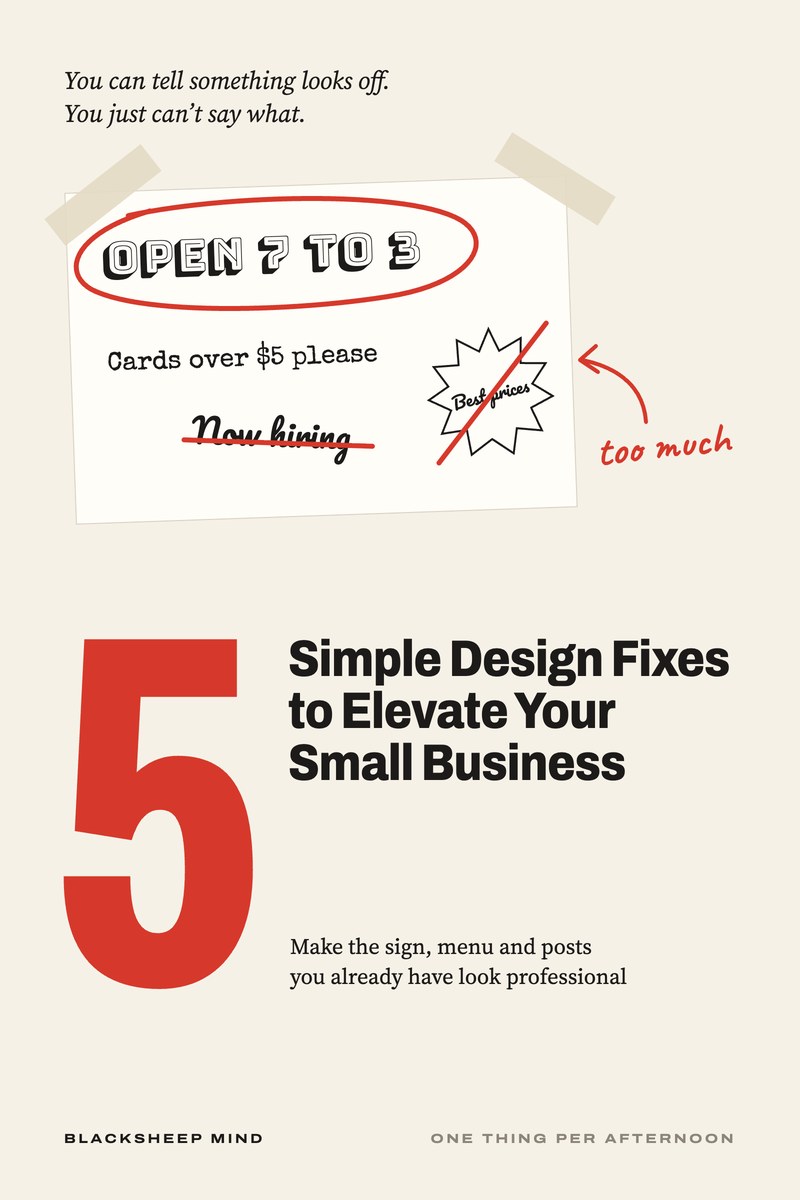
You can tell something looks off. You just can’t say what.

Make what you already have look like you meant it. Five fixes you do yourself, one thing per afternoon, with no new logo and no designer. For shop, cafe, salon, trade and small online store owners, and whoever does your posts.

5 Simple Design Fixes to Elevate Your Small Business. Make the sign, menu and posts you already have look professional.

The cover of 5 Simple Design Fixes to Elevate Your Small Business.
Read it online, or download the PDF to keep or print. Nothing is posted to you.
Chapters
5
Tools
3
Reading
44 min
Price
$12
Get the book, $12

Read it tonight on your phone or laptop. One price, no upsells. No refunds: you get the whole book straight away.

The moment

You catch your shop in a customer’s photo

  • The sign you stopped seeing years ago.
  • The price list with two prices crossed out and one taped over.
  • The card you hand over with “sorry, these are old.”
  • The new place across the road that somehow looks finished.

The work is good. The sign doesn’t say so. It’s rarely one big thing. It’s usually five small ones, and you can fix every one of them yourself, with what you already have.

What’s inside

Five fixes, in the order you’d do them

  1. 01

    Take Half of It Down

    When everything asks to be seen, nothing gets seen. Decide the one job each thing has, and give it room.

  2. 02

    Take Off the Extras

    Shadows, outlines, starbursts, clip art, words in five colors. Take them off one at a time and see what was underneath.

  3. 03

    Line Everything Up

    One edge, the same gaps, prices in one column. Nothing new is added, and it looks planned.

  4. 04

    Make It Easy to Read From Where People Stand

    Check it from across the road, the back of the line or a phone in the sun, then fix the letter size and what sits behind the words.

  5. 05

    Swap the Blurry, the Stretched and the Dark

    Find the sharp original of your logo, stop stretching it, and keep fewer, better pictures cut to the same shape.

Plus a 30-minute walk-through to start, which tells you which fix each of your things needs, and a closing chapter to plan one thing per afternoon. 5 chapters, about 44 minutes to read.

A page from the book

What’s underneath is usually better than you think

Fix 2 · from the book, word for word

Take Off the Extras

A case

The flyer that tried too hard

Yusuf runs a tailoring and alterations shop. A customer picking up a pair of pants he’d hemmed saw a suit on the rack and said she’d thought he only did alterations. Made-to-measure suits were on his flyer, in a starburst, in the bottom corner.

He looked at the flyer properly for the first time in years. His name was in yellow with a black outline and a shadow. There were clip-art scissors, a needle and a smiling shirt, a stitched border, and words in five colors. His first reflex was to ask his nephew, who had made it, for a bigger starburst.

Instead, they sat down together and took the extras off one at a time, asking each time whether anything had gotten harder to read. Nothing had. They kept his name in black and added one plain line under it: “Alterations, repairs and made-to-measure suits.” The clip art became one photo of a jacket on his cutting table. The flyer went down to two colors.

He printed 200 for $30. The next month, two customers asked about suits because of it.

What to do
  1. Pick one piece and list every extra on it: shadows, outlines, glows, starbursts, borders, clip art, curved words, extra colors, extra fonts.
  2. Take them off one at a time.
  3. After each one, ask: did anything get harder to read or understand? If yes, put it back.
  4. Keep the words in one color, and use one other color for the thing that matters most.
  5. Keep no more than two fonts on the piece.
  6. Save the plain version as your template for next time.
What to say
Instead of

“Can you make it pop?”

Try

“Please keep it plain: no shadows, outlines, clip art or borders. Just the name, the one thing we want people to know, and the phone number.”

Instead of

“Add a starburst so people see the offer.”

Try

“Make the offer the biggest words on the page, and leave space around it.”

Instead of

“Can you make it look more professional?”

Try

“Can you take off everything that isn’t words or a photo of our work, and show me that version first?”
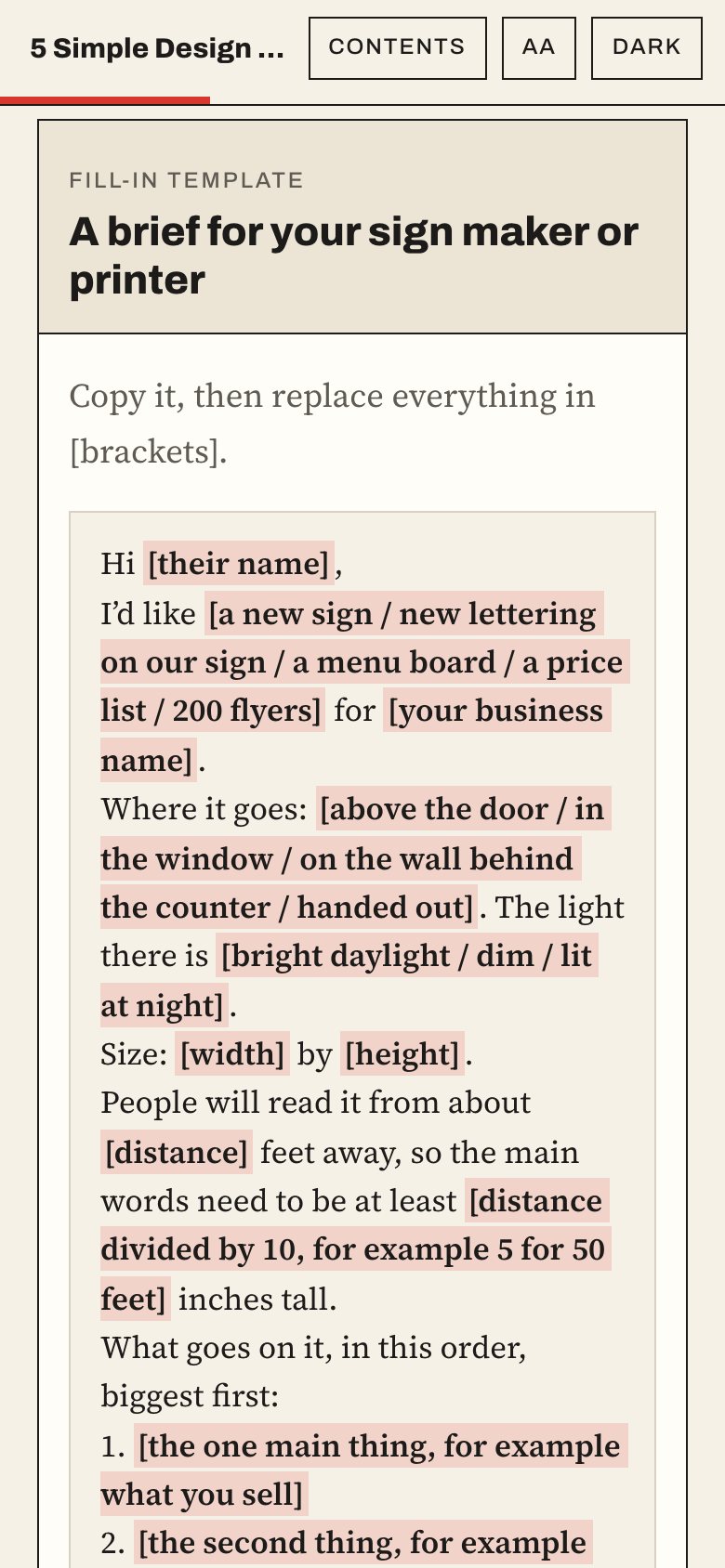
The brief for a sign maker or printer in the web book, on a phone.
The brief for your sign maker, ready to copy
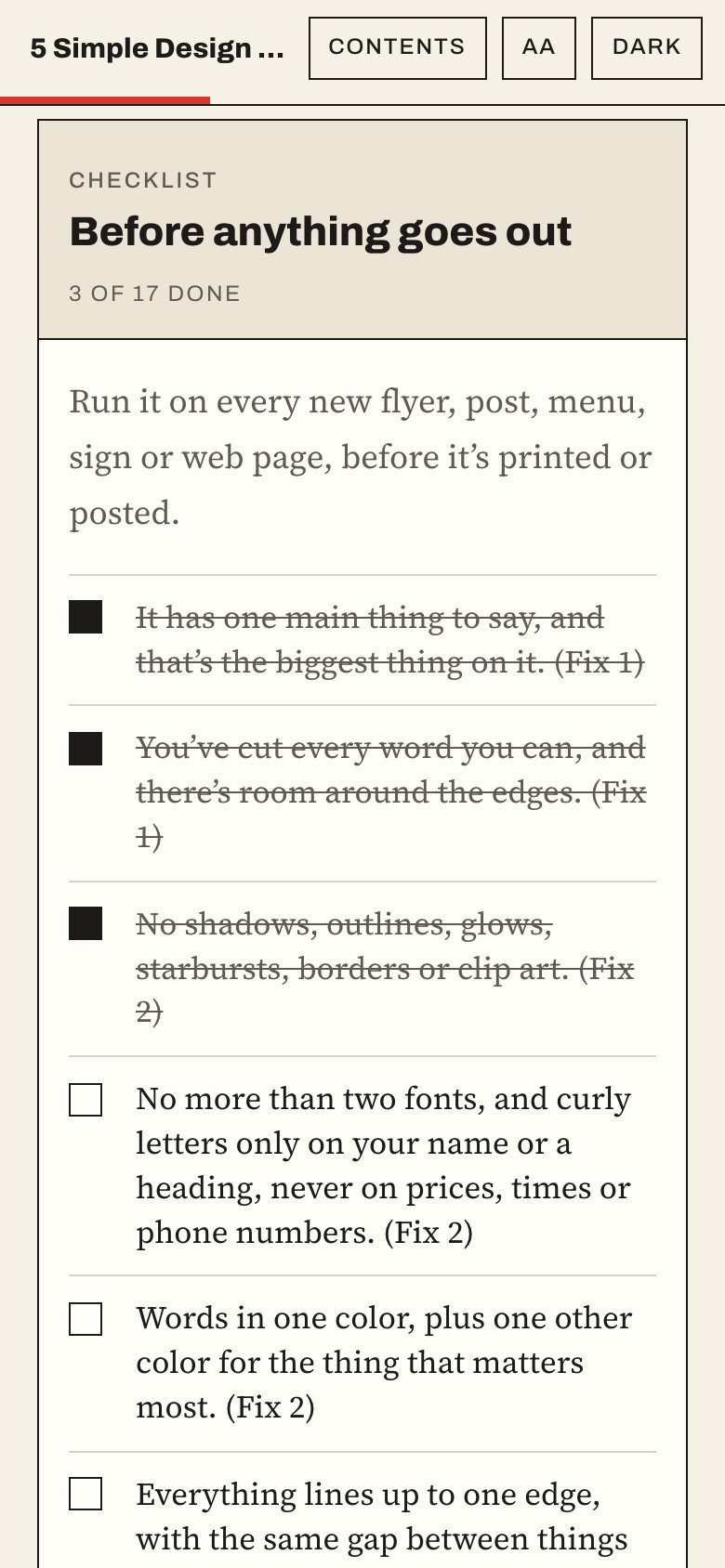
The before-anything-goes-out checklist in the web book, on a phone, with three items ticked.
The check before anything goes out

The tools

Three tools you’ll use again

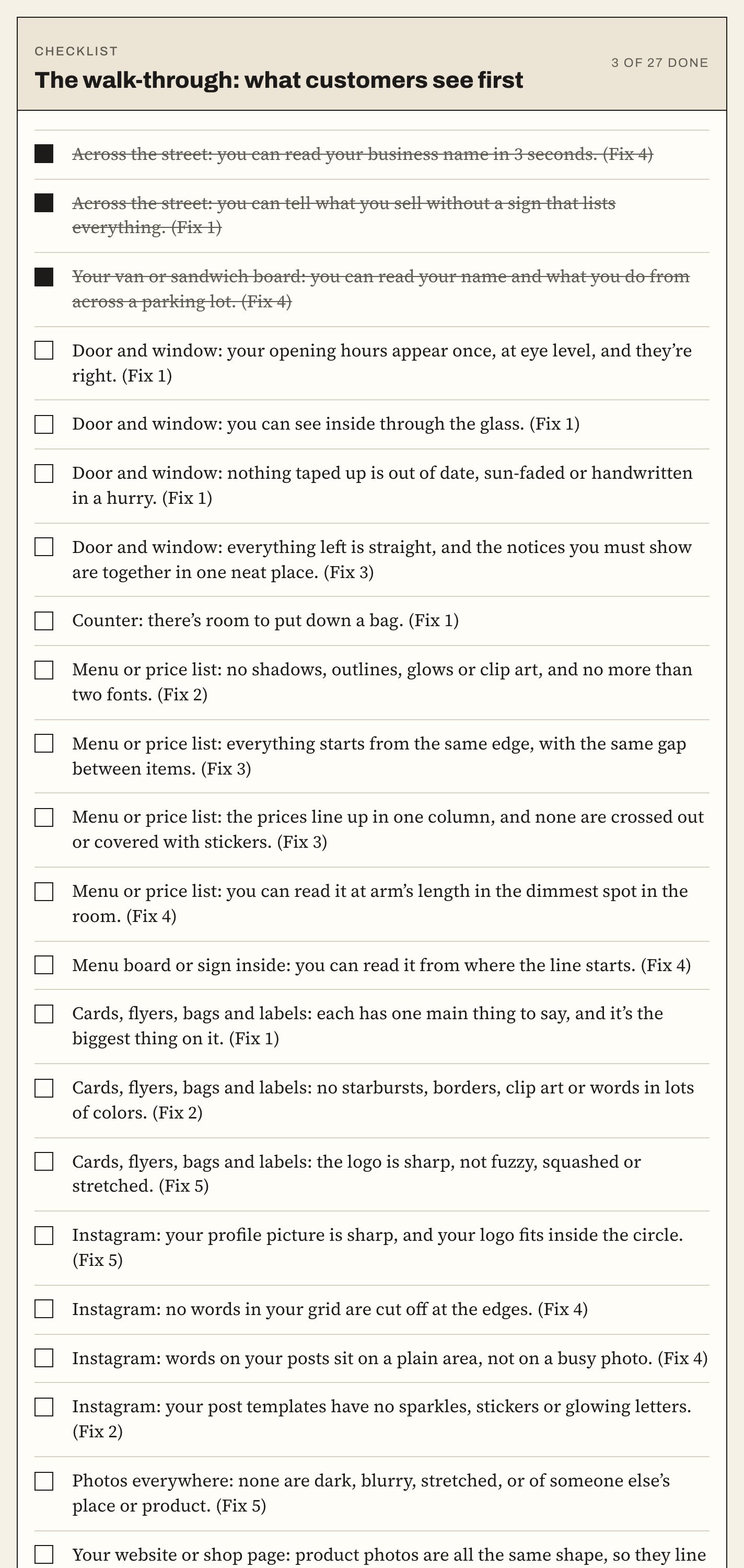
  • ChecklistThe walk-throughWalk it with your phone in 30 minutes, outside to inside to online. Whatever you can’t tick is your list, with the fix to read next to it.
  • Fill-in templateA brief for your sign maker or printerWhat goes on it, biggest first, how tall the letters need to be for the distance, and a proof before anything is printed.
  • ChecklistBefore anything goes outA short check to run on every new flyer, post, menu or sign, so the extras don’t creep back.
The walk-through checklist in the web book, with the first three items ticked.
The walk-through, with three things ticked

Who it’s for

For owners who made it themselves

For you if

  • You run a shop, cafe, takeaway, salon, studio, trade or small online store.
  • You made the sign, menu, flyers or posts yourself, or someone in the family did.
  • You can tell something looks off and can’t say what.
  • You do the posts for someone else’s business and want them to look cared for.

Not for you if

  • You want a new logo, new colors or a whole new look. That’s DIY Branding Like a Pro for Small Businesses, on the same shelf.
  • You want to learn a design app. This book works with whatever you already use.
  • You want a promise of more customers. Nobody can honestly make one.
Get the book, $12

5 fixes · 3 tools · read tonight

Your questions

Before you buy

Do I need design skills or software?

No. Whatever you made it with is enough: a design app, Word, a website builder, a chalk pen. Some fixes are just taking things down.

Will I need a new logo?

No. It works with the logo you have, and shows you how to find the sharp original file. Starting from nothing is a different book on the same shelf.

How long does it take?

About 44 minutes to read, 30 minutes for the walk-through, and an afternoon for each thing you fix.

Will it bring in more customers?

Nobody can promise that. It makes what you have easier to read and look cared for, which is what people see before they decide to come in.

I only sell online. Does it work?

Yes. The walk-through has an online part, and the five fixes are the same for a shop page, an Instagram grid or a homepage.

Will it cost anything else?

Mostly no. A new menu costs a print run. An outside sign costs more, and the book tells you to check with your landlord and your local rules first.

Is it a PDF?

You get both. Read it online on your phone or laptop, where the worksheets save as you type, or download the PDF to keep or print. In the PDF, the worksheets have lines to fill in by pen.

5 Simple Design Fixes to Elevate Your Small Business

Read it tonight. Fix one thing tomorrow afternoon.

$12one price, no upsells
Get the book, $12

Read it online, or download the PDF to keep or print. Nothing is posted to you. No refunds: you get the whole book straight away.